Spreadsheets break at scale.
Generic CMMS tools don't model Customer → Tower → Blade A/B/C. Dispatch addresses the wrong blade, and the technician on the lift fixes the wrong defect.
Wind turbine blade and tower maintenance teams need operational infrastructure non-integrated tools can't deliver. Dispatch, daily checks, approvals, photo evidence, and client-ready reports — all in one place, in real time.
Three patterns we hear in every discovery call.
Generic CMMS tools don't model Customer → Tower → Blade A/B/C. Dispatch addresses the wrong blade, and the technician on the lift fixes the wrong defect.
Photo evidence lives on someone's phone. Sign-offs never make it to the auditor. The next project starts before the last one's report is filed.
You can't tell which work orders are progressing today vs. stalled in the field. KPI dashboards report the plan — not the work that actually happened.
Six pillars, built specifically for wind-turbine field service — not bent out of a generic CMMS.
Cascading Customer → Tower → Blade selection so dispatch can't address the wrong blade. Every work order knows the position, side, and serial — A, B, or C.
Work orders only count as active when today's check is filed. Your KPI dashboard reflects reality, not the project plan.
JSA, DSRI, DSPI, leading-edge inspection, structural repair — codified once, reused across every project.
Team lead → supervisor multi-level sign-off with a full audit trail. Hybrid RBAC across 49 granular permissions in 11 groups.
Photo evidence, voice notes, and drawings stay attached to the work order forever — not the lead tech's phone.
A dedicated mobile app designed for technicians in lifts, harnesses, or at the tower base — file daily checks, run task templates, capture photos and voice notes, and sync the moment connectivity returns.
Same flow whether you're running one tower or a 200-turbine project.
Map Customer → Towers → Blades once. Every future project starts from the same source of truth.
Cascade the work order from project to tower to blade. Assign by role; teams come with their snapshot for the audit trail.
Technicians run task templates, file daily checks, attach photos and voice notes — from the lift if they need to.
Two-level sign-off closes the loop. Customer reports generate from the same data the dashboard runs on.
A look at the operations dashboard your project managers live in.
A dedicated app so technicians can execute, file evidence, and sync — wherever the work happens.
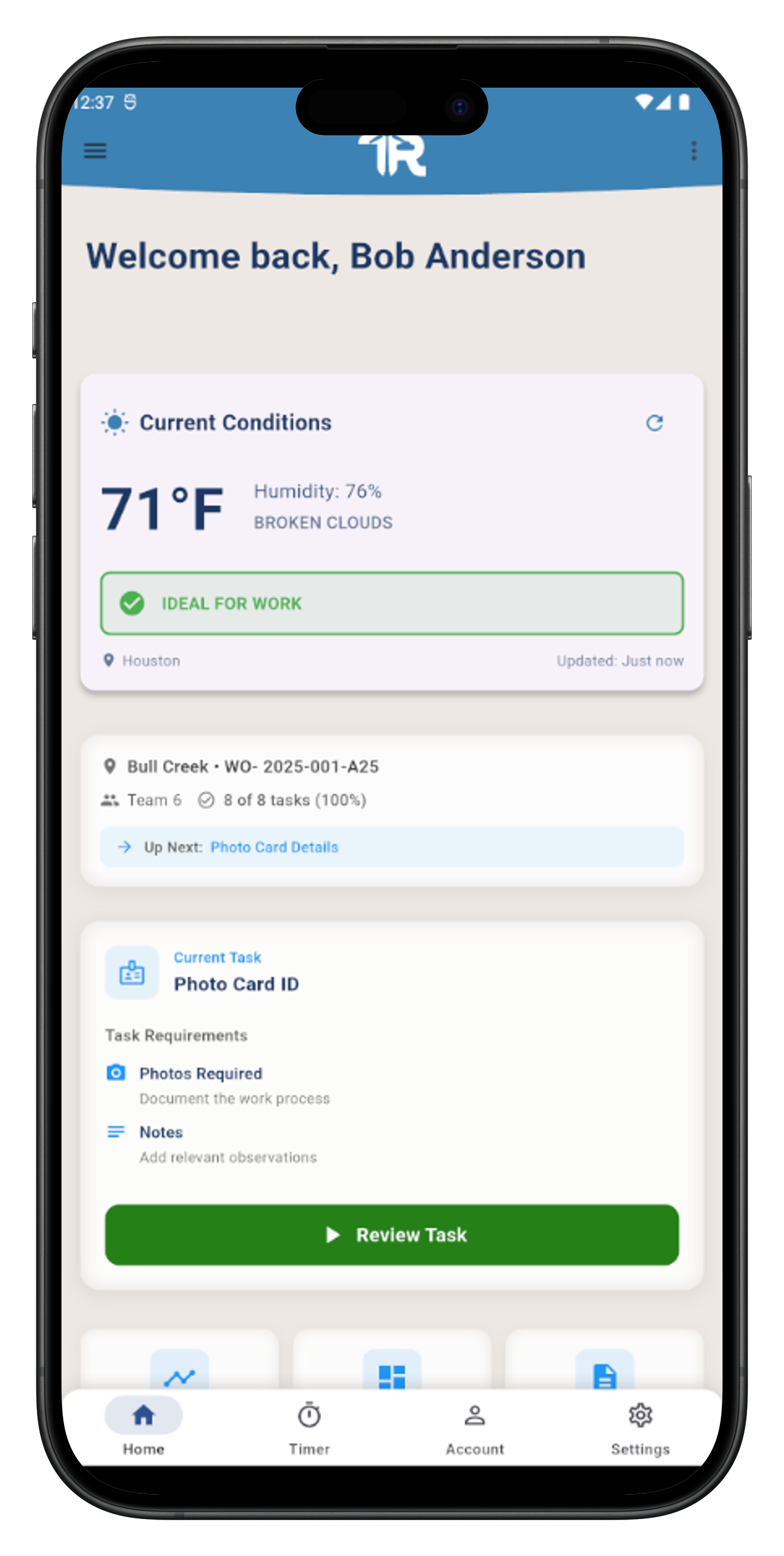
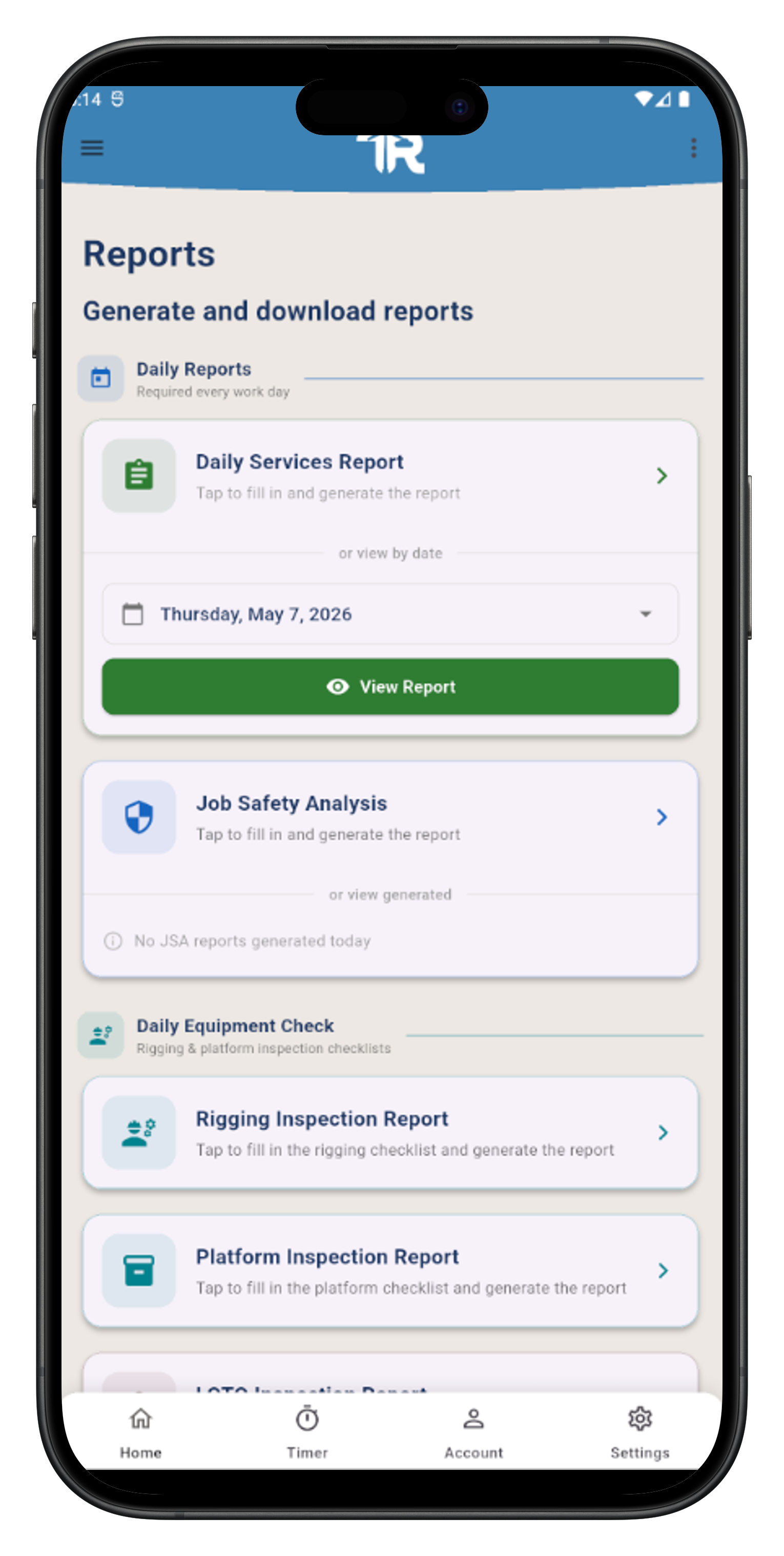
The technician's starting point. Assigned work orders, pending daily checks, and quick actions surface at a glance — every crew member knows exactly what to tackle before the first lift.
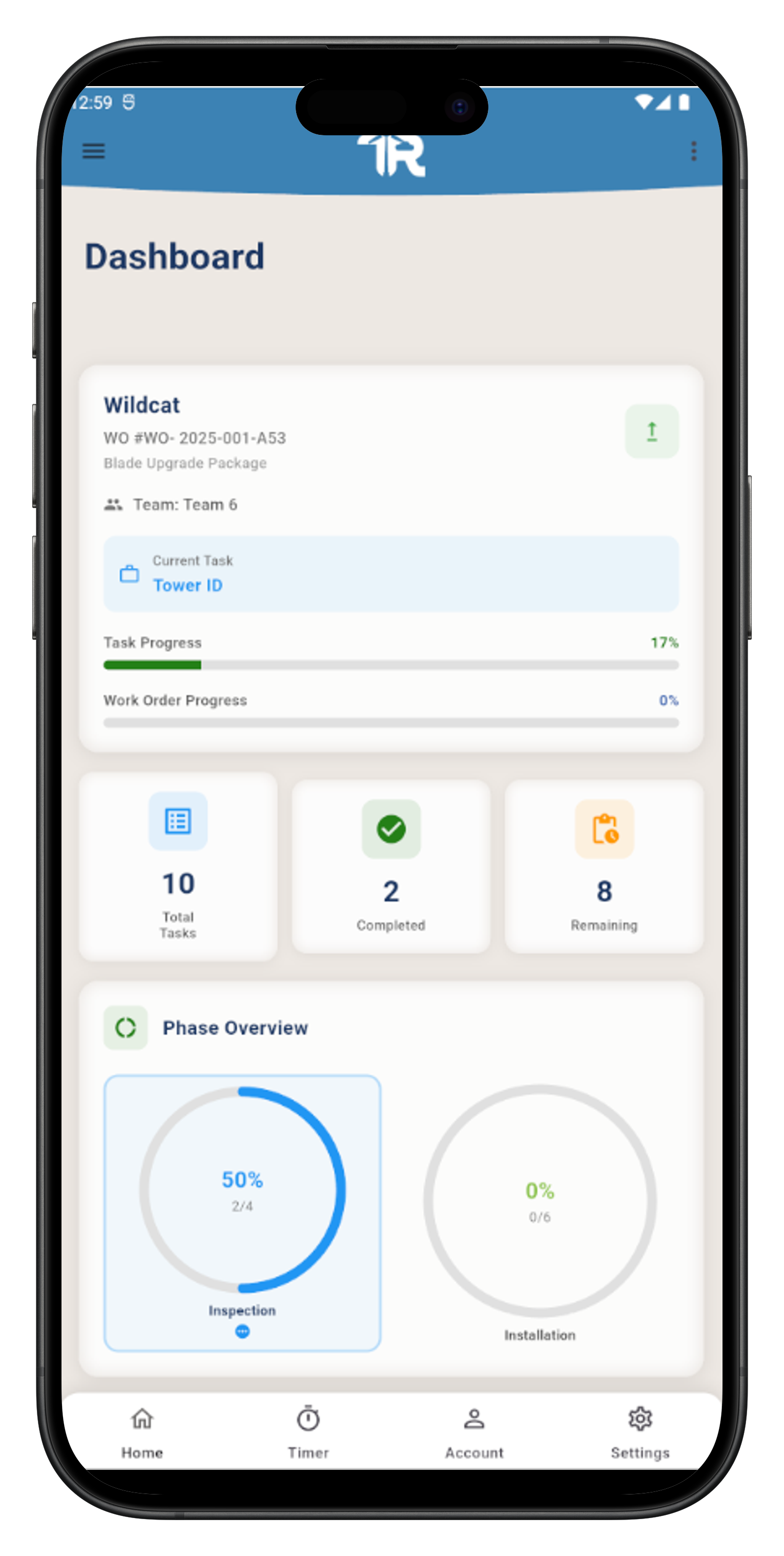
A real-time field snapshot of the operation. Active work orders, check status, and pending approvals in one view — so team leads stay in sync without leaving the tower base.
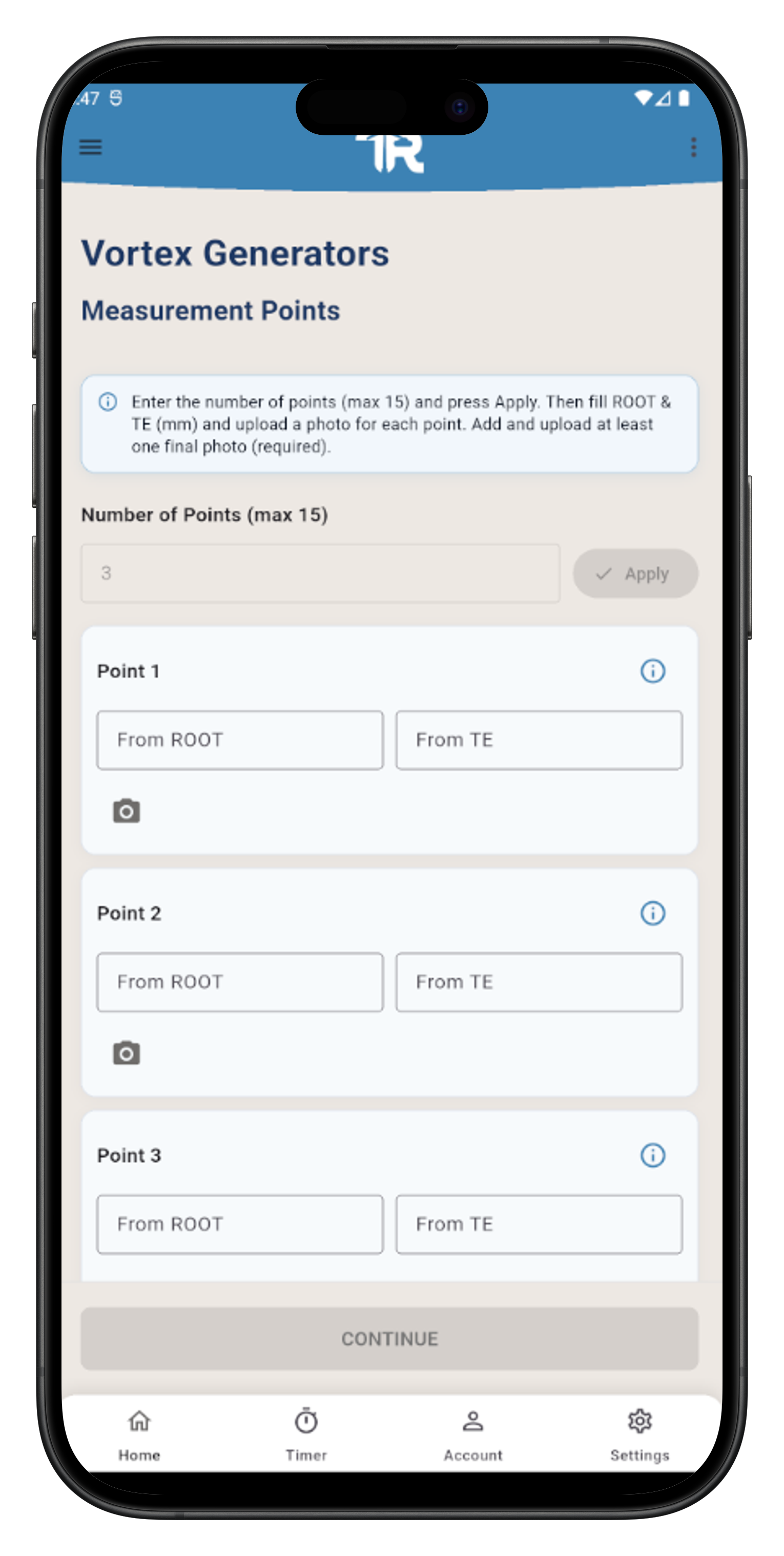
Execute task templates from the lift. Run JSA, DSRI, DSPI, and structural repair procedures step by step, capture photo evidence in one tap, and attach voice notes — all locked to the exact blade and work order.
File the daily check before the day closes. Evidence, signatures, and work-order status roll up to the operations dashboard automatically — no re-keying, no missing attachments.
From the operations director reviewing the weekly KPI roll-up to the technician in a harness on Tower 42.
I stopped chasing photos at 9pm. The work order has its own evidence now.
Onboarding a new tower used to take a morning. Now it's three clicks.
It's the first tool I've used that knew what blade I was on without me telling it twice.
The differences that surface in the first two weeks of real work in the field.
| Generic CMMS | TechRepairTechRepair | |
|---|---|---|
| Asset model | Flat asset / equipment list | Customer → Tower → Blade A / B / C |
| Role model | 3–5 roles, edit / view | Hybrid RBAC, 49 permissions in 11 groups, role hierarchy |
| Approvals | Single sign-off or none | Team lead → supervisor, full audit trail |
| Mobile field UX | Desktop-first, mobile as afterthought | Native mobile app for the lift + mobile-friendly web platform |
| Audit trail | Mutable records | Immutable snapshots, full history |
| Client reports | Manual: export, format, attach | Generated from filed evidence, ready to sign off |
What we've built into the platform — described, not certified.
Each organization gets its own dedicated workspace. There's no shared customer pool — your data and another tenant's never touch.
Team membership, role assignments, and work-order state are versioned and tamper-evident.
49 permissions across 11 groups, 7 system roles, role hierarchy, plus direct user overrides.
Email plus token-based sign-in for web and mobile clients. Application logs redact secrets and PII at the framework level.
Three flat-fee tiers sized by technicians, web users, and work orders. Annual contracts get 12% off.
For small teams getting started with a real operations platform.
For growing operations that need more capacity and daily reporting.
For large accounts with custom needs and higher operational volume.
If yours isn't here, ask it on the call.
TechRepair is built specifically for wind turbine blade and tower maintenance operations — the asset model (Customer → Tower → Blade A/B/C), the task templates (JSA, DSRI, DSPI, leading-edge inspection), and the approval chains all reflect that. We don't recommend it for solar or hydro today; the abstraction would be too thin for those workflows to feel native.
Every customer organization gets its own dedicated workspace. There's no shared customer pool — your data is separated from every other tenant's by construction, and your workspace can be exported, migrated, or deleted without touching anyone else's data.
Yes — custom integrations are scoped with our team during onboarding. File exports, scheduled extracts, and webhook hand-offs cover most ERP / MDM workflows we've seen, and we'll match the data shape to your downstream system before go-live.
Yes — technicians use a dedicated mobile app for field work, designed for use at the tower base, in a lift, or in a harness. Project managers and supervisors use the web platform, which is itself mobile-friendly for occasional access from a phone or tablet.
The mobile app caches work orders, daily checks, and task forms locally so a technician can keep working when connectivity drops. Submissions queue and sync the moment signal returns. Photo evidence uploads in the background with retry.
A typical onboarding takes 1–2 weeks: importing your customer / tower / blade hierarchy, configuring your team structure and role assignments, customizing report templates, and running a parallel project alongside your existing process. Most teams stop running the parallel process by week three.